



The opportunity to automate manual tasks shows up across nearly every function a NetOps team owns. Here’s one recent example we’ve seen in the wild: every other week, a team of seven network engineers at an IT services company spent 35 hours on nights and weekends manually patching firewalls from different vendors, including Fortinet, Check Point, Cisco ASA, NETGEAR, Palo Alto, SonicWall, and WatchGuard. Backups were another manual process that consumed an administrator’s time every night. And device inventory was tracked in a spreadsheet. These critical tasks were time consuming, error-prone, and often disruptive to the team’s personal lives. With a network automation platform, each of these jobs runs automatically with no one at a keyboard, saving the team 70 hours a month on updates alone, while improving security and reliability.
Enterprise networks generate a steady stream of repeatable, high-volume tasks: backups, configuration drift remediation, OS updates, compliance checks, vulnerability fixes, device discovery and inventory, multi-vendor device management, device onboarding, and certificate and license updates. Each one is manageable in isolation. Juggling them all, at enterprise scale, overwhelms teams that don’t have a network automation platform to help manage them all.
This post walks through the use cases where a network automation platform delivers the fastest, most measurable impact for enterprise teams, and why addressing tasks individually with scripts or point tools tends to fall short.
Network Automation Platform Use Cases
A network automation platform streamlines the following routine, yet critical, tasks for NetOps teams.
Configuration Backup and Recovery
According to Cisco, the cost of downtime has reached $15,000 per minute, underscoring the importance of having current, validated backups across every device and the ability to restore with a single click. A network automation platform schedules and validates backups automatically, alerting teams to potential backup failures that may require investigation. Teams can use the backup history to answer the critical troubleshooting question: “What changed?” and restore a corrupted device or a failed change quickly and reliably.
Configuration Drift Reporting and Remediation
Every device has an intended configuration state, but that state drifts because of unauthorized changes, failed updates, or manual edits engineers make under time pressure. The results can be costly. A survey of over 1,000 CIOs, CSOs, and network engineers revealed that 84% of organizations report rising network outages, citing device configuration changes as the most common cause. A network automation platform continuously compares live configurations against an approved baseline. It can alert the team to discrepancies and remediate automatically, closing the window between drift and discovery and mitigating risk to organizations.
Device OS Updates
Patching thousands of devices manually means sequencing changes carefully around maintenance windows, backing up before every update, and validating that each device came back online and is operating successfully. A network automation platform handles that entire sequence as a single governed workflow across the full device inventory, including seamless rollbacks if an update fails, cutting jobs that took entire weekends down to a fraction of the time.
Compliance Remediation
NetOps teams have to ensure compliance with their organization’s internal policies as well as with regulatory requirements and industry standards, whether that’s PCI DSS, HIPAA, DISA STIGs, DORA, or others. A network automation platform checks every device against every required policy continuously, provides exception-base alerts, and can auto-remediate compliance violations. It can also produce audit-ready evidence on demand instead of requiring weeks of preparation before an assessment.
Vulnerability Intelligence and Prioritized Remediation
According to the Verizon 2026 Data Breach Investigations Report, only 26% of critical vulnerabilities, defined by CISA’s known exploited vulnerabilities (KEV) catalog, were fully remediated by organizations in 2025, down from 38% the previous year, and the median time to full resolution increased by nearly two weeks, from 32 to 43 days. When a new CVE is published, enterprise teams need to know immediately which devices it affects across their environment that may span dozens of vendors. A network automation platform maps live configuration data against threat intelligence feeds from sources like CISA, NVD, and NIST, prioritizes remediation based on actual network risk, and can drive patching or workarounds automatically, drastically shrinking the time attackers have to exploit a known vulnerability.
Device Discovery and Inventory
Large networks add and retire devices constantly, and static inventory spreadsheets go out of date almost as soon as someone creates them. A network automation platform maintains a live, accurate device inventory across every location and vendor, including manufacturer, model, firmware version, and configuration. It serves as a network source of truth, precisely modeling devices, and giving teams a real-time picture instead of a stale document.
Multi-Vendor Device Management
Most network environments include devices from multiple vendors—different firewalls, switches, routers, and more. Applying changes to keep devices from multiple vendors updated and eliminating vulnerabilities takes an inordinate amount of time and expertise. A network automation platform applies consistent policies across different device types from various manufacturers at the same time from a single platform, removing the need to master and move between vendor-specific tools or enforce policies manually one device at a time.
Device Onboarding at Scale
Adding new sites, acquiring new business units, or expanding into new regions all require bringing new devices into alignment with standard configurations and compliance policies quickly. A network automation platform reduces onboarding from a multi-day manual project to a process that can run in minutes per device.
Certificate and License Updates
Expired SSL certificates are a significant cause of network failures and missed license renewals cost time and money. A network automation platform simplifies network certificate management with automated tracking, targeted alerts, and helpdesk integration for expiring certificates. Automated license tracking supports all vendors and gives teams complete visibility and control to stay ahead of renewals.
Why a Network Automation Platform Handles These Use Cases Better Together
Individually, a point tool or a purpose-built script can solve each of these use cases. But enterprise networks don’t experience these tasks individually; they run concurrently, across the same devices, often with dependencies on each other. A backup needs to happen before an update. A compliance check depends on having an accurate inventory. Vulnerability remediation requires knowing which devices a vulnerability affects and being able to patch them safely.
A network automation platform handles these use cases as a connected system rather than a collection of disconnected tools, which is what allows enterprise teams to scale automation coverage without also scaling the number of tools they have to manage and maintain.
How a Network Automation Platform Like BackBox Helps
BackBox is a network automation platform that covers this full range of enterprise use cases in a single system, with support for 180+ vendors and thousands of pre-built automations. Teams that deploy BackBox can reduce the cost of network operations by 76% and typically reduce update and backup jobs from hours to minutes.
“I really value how BackBox handles backups, configuration management, and compliance checks all in one place, allowing them to run on a schedule which takes the guesswork out of keeping everything consistent.The automation reduces the margin for human error, providing me real peace of mind.Plus, having centralized control greatly contributes to the reliability and security of our network without adding extra complexity to my day.” – Verified G2 Reviewer
Frequently Asked Questions About Network Automation Platforms
What’s the most common starting use case for a network automation platform?
Many enterprise teams start with backup and recovery, since it’s high-risk, high-frequency, and delivers immediate, measurable time and cost savings. Compliance checks, vulnerability remediation, configuration remediation, and device updates are common second steps.
Can a network automation platform handle use cases across different departments, like security and NetOps?
Yes. Use cases like vulnerability remediation and compliance reporting benefit both network and security teams, since the platform gives both groups visibility into the same configuration and risk data, prioritization of activities, and status of remediation. With a common way to assess and manage risk, SecOps and NetOps teams can collaborate to strengthen the organization’s cyber resilience.
Do all these use cases require separate configuration within the platform?
No. A network automation platform runs these use cases from a shared inventory and policy engine. So, improvements to one area, like more accurate device inventory, benefit others, like compliance and vulnerability management.
How long does it take to see results from these use cases?
Many teams see measurable time savings within the first automated workflow, often in the first 30 to 90 days, particularly with high-frequency use cases like backups and OS updates.
Is a network automation platform only useful for very large enterprise networks?
No. Smaller organizations also benefit from network automation because they often have small teams that are stretched thin, and the same use cases apply. For larger organizations, the time, cost, and risk savings become even more significant as device count, vendor diversity, and compliance requirements increase.
Related content

Article
4 Network Automation Use Cases in Healthcare
4 network automation use cases in healthcare to reduce downtime, improve compliance, and strengthen resilience. See how BackBox automates network operations.
Read Now
Article
BackBox Earns Top Recognitions in G2 Summer 2026 Network Automation Tools Report
BackBox recognized in G2 Summer 2026 Report for Network Automation Tools. See what verified customers are saying about how BackBox scales network automation.
Read Now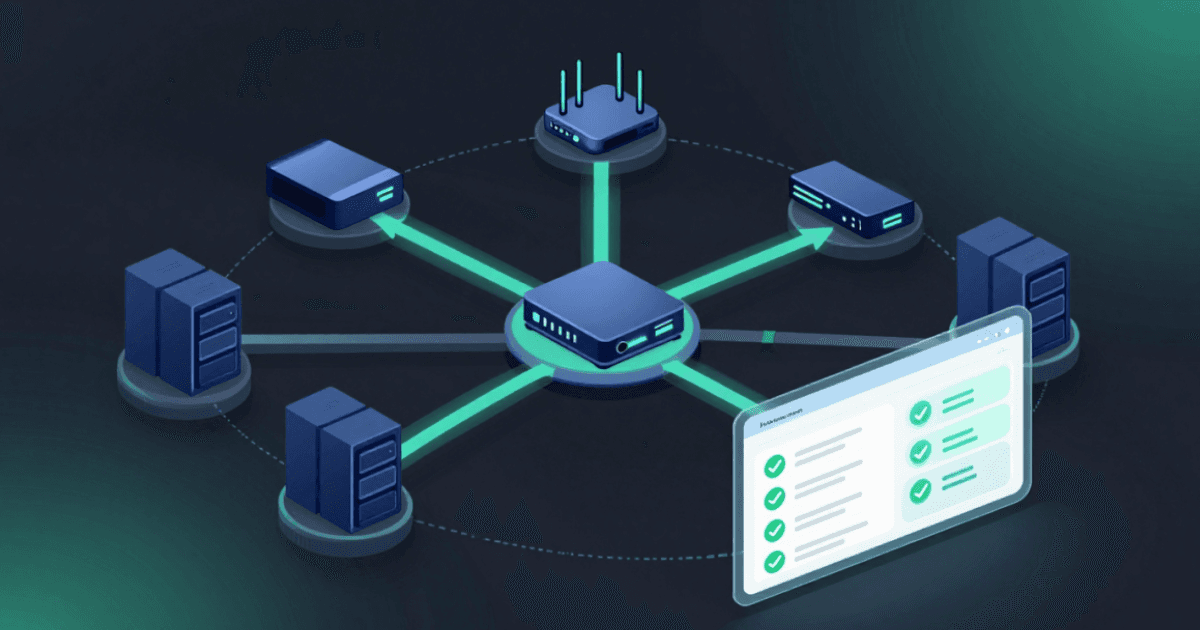
Article
What Is Network Automation and Why Is It Critical for Modern Networks?
What is network automation? Learn how it works, why it's critical for modern networks, and how BackBox automates network tasks across 180+ vendors.
Read Now
See for yourself how consistent and reliable your device backups and upgrades can be

Written by
Tony Dalton