



Consider this real-world example. The NetOps team at an automotive technology company with 300 franchised shops, routinely spent 50 hours or more just to access each router individually to make one change to a server or endpoint across all shops. The process of logging in to each network router device individually took at least 10 minutes if things went smoothly, and software updates averaged 30 to 40 minutes per device. For teams managing modern enterprise infrastructure without network automation software, hours of weekend work and repetitive tasks that introduce errors and risk are facts of life and cause burnout. Even large teams can’t keep pace because network demands routinely exceed what manual processes can deliver.
Network automation software closes the gap by replacing slow, error-prone human execution with automated, validated workflows that run at machine speed and scale with the network.
This post explains what network automation software is, what it does, and why network teams across industries are making it a strategic priority.
What Is Network Automation Software?
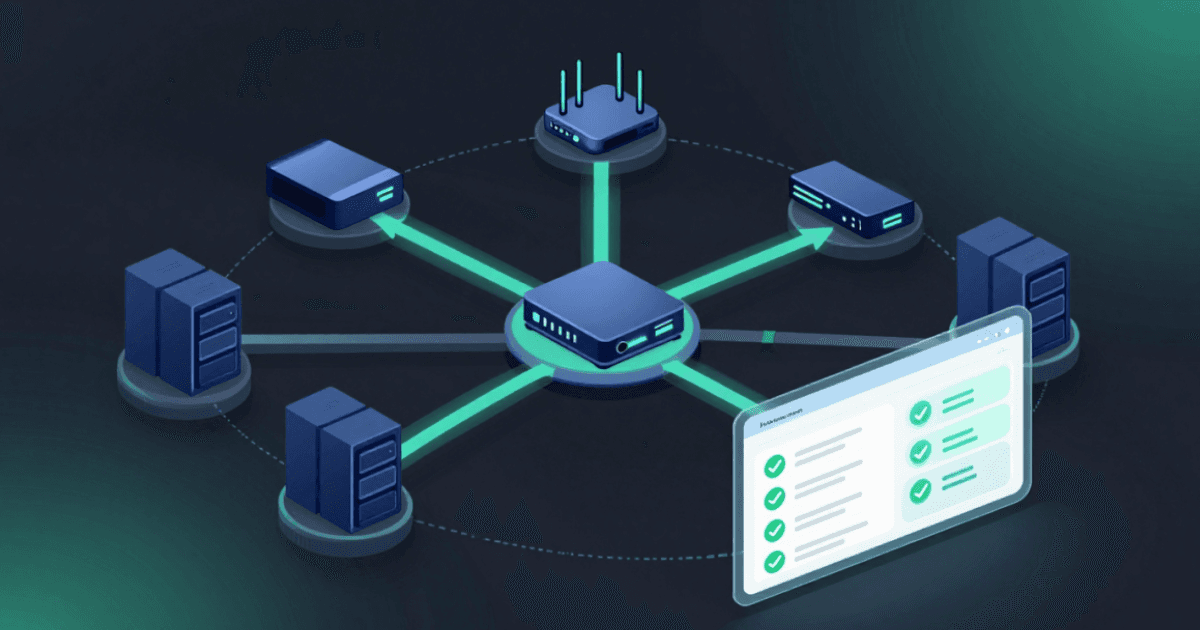
Network automation software is a category of tools that automatically perform the repeatable operational tasks required to keep a network running, secure, and compliant without requiring an engineer to be at their computer every time a change needs to happen.
Those tasks include configuration management, software and firmware updates, backup and recovery, compliance checks, device discovery and inventory, and vulnerability intelligence and remediation. For teams that handle tasks manually, each of these is a discrete project. When they shift to an automation software, these tasks can run continuously in the background, ensuring network security and compliance around the clock.
The term is worth distinguishing from broader IT automation. General IT automation platforms are built to orchestrate workflows across servers, applications, and cloud services. This software is built specifically for the device-level complexity of network infrastructure, including the dozens of vendors, the proprietary operating systems, the maintenance windows, the rollback requirements, and the high-availability constraints that make network changes categorically different from any other IT operation.
The discipline has also matured significantly. Early approaches to automation in networks meant writing scripts to handle individual tasks which required networking engineers to have some coding background. Device vendors also offer tools to automate certain tasks on their devices. However, for environments with devices from multiple vendors, NetOps teams need to learn how to use multiple tools and manage them all.
Modern network automation software is a unified platform that includes multi-vendor support out of the box, pre-built automation libraries to cover a wide range of use cases, and no-code customization tools to address unique requirements.
What It Actually Does
The software spans a set of maintenance, compliance, and security functions that together cover the full operational lifecycle of network device management.
- Configuration management and drift remediation. Every network device has an intended configuration or state it should be in at all times. In practice, configurations drift for reasons including human errors, update failures, or changes made by unauthorized users. Automation continuously monitors device configurations against a defined baseline and remediates drift automatically, before it becomes a vulnerability or a compliance violation.
- Software and firmware updates. Keeping devices current is one of the most important things a network team can do for security, and one of the most operationally complex. Network automation software handles the full update workflow, including pre-change backups, sequencing across high-availability pairs, post-update validation, and automatic rollback if something goes wrong. Tasks that used to take a team of engineers an entire weekend to complete can be done in 30 minutes.
- Compliance and policy enforcement. Whether the requirement is an internal security standard or an industry framework such as CIS Benchmarks, DISA STIGs, PCI DSS, or HIPAA, automation continuously checks every device against the required policy and can remediate when violations are found. Compliance becomes a continuous state, not a quarterly snapshot.
- Backup and recovery. Backups are critical but are deprioritized when teams are stretched. Automation schedules and validates nightly backups across the entire device inventory. When recovery is needed, restores are initiated with a single click rather than a crisis-mode scramble.
- Device discovery and inventory. Manual inventory processes produce spreadsheets that are out of date the moment they’re saved. Automation accelerates device onboarding tasks and maintains a live, accurate picture of every device on the network, including manufacturer, type, model number, software and firmware versions, and configuration.
- Vulnerability intelligence. Modern network automation software goes beyond monitoring. It continuously maps device configuration inventory against AI-enabled threat intelligence feeds from sources including CISA, NVD, NIST, and device vendors to identify vulnerable states in real time. When new CVEs are published, automation identifies which devices are affected, prioritizes remediation based on actual network risk, and drives patching or recommends workarounds before the vulnerability is exploited.
- No-code workflow automation. Network engineers are experts in managing infrastructure, not writing code. Modern network automation platforms let teams build and run complex, multi-step workflows across hundreds of devices from different vendors without writing a single line of code.
Network Automation Software vs. DIY Scripts
Many network teams start using automation because a sharp engineer writes a script to handle a recurring task. The “do it yourself” approach gets more challenging when teams need to automate multiple tasks or tasks for multiple device types. It’s easy to make mistakes tweaking or updating scripts for every scenario. Over time, a “quick script” turns into a thousand lines of code and a headache to maintain.
According to EMA research, 61% of enterprise networking teams that rely on internally developed scripts spend six or more hours every week just maintaining them. Instead of delivering value, DIY automation creates overhead. The engineers writing and maintaining those scripts are network experts, not software developers. Every hour spent on script maintenance is an hour not spent on the network.
DIY scripts also don’t scale. A script that works against a handful of devices from one vendor breaks when the network adds a second vendor, a new software version, or a change in device behavior. Maintaining coverage across a modern multi-vendor environment requires constant rework. And when the engineer who wrote the scripts leaves, the institutional knowledge goes with them.
This software addresses these challenges with pre-built automations that cover 180+ vendors out of the box, maintained and updated by the platform vendor. The NetOps team can stay focused on maintaining network cyber resilience.
Why Your Team Needs It
The pressure points pushing network teams toward automation aren’t new, but they’ve reached a point where a manual approach is untenable.
Networks have grown exponentially in device count, vendor diversity, and architectural complexity over the past decade. Team sizes have not kept pace. Even when teams try to grow, there aren’t enough network engineers sitting on the bench. Automation is the only lever teams have to scale capacity without increasing headcount.
The attack surface is widening faster than teams can respond manually. Every misconfigured device and unpatched critical vulnerability is a point of risk. Manual processes are too slow and too inconsistent to keep pace with the rate of change in complex, modern networks. And in today’s AI era, the time between finding and exploiting a vulnerability is shorter than ever.
Compliance requirements are becoming more rigorous. Auditors increasingly reject a point-in-time snapshot taken the week before an audit and request evidence of continuous compliance. Manual compliance processes can’t produce that evidence at scale, let alone when the average enterprise network spans dozens of device types across multiple vendors, combining on-premises infrastructure, cloud environments, and legacy systems. Keeping complex modern networks compliant manually isn’t possible.
The Security Case
Security teams and network teams have historically operated in separate lanes. Network automation software is where those teams have an opportunity to collaborate.
Configuration drift is one of the most common and underappreciated sources of network risk, whether it’s a firewall with a manually modified rule, a device running firmware that hasn’t been updated in two years, or an unauthorized configuration change that slipped through without a ticket. Attackers exploit these common conditions that tend to accumulate and go unnoticed in networks managed manually.
Automation addresses security risk by preventing the conditions that make incidents possible. Continuous compliance and policy management catches drift and remediates discrepancies before they create exposure. Vulnerability intelligence maps the network’s actual configuration state against known CVEs, prioritizing remediation based on real risk rather than generic severity scores. Automated patching closes the window between a high-risk vulnerability being published and devices being protected. And a complete audit trail of every change made, manually or via automation, gives security teams the visibility they need to detect anomalies and investigate incidents with confidence.
Organizations operating under frameworks like DISA STIGs or PCI DSS can demonstrate continuous compliance proactively instead of hoping the quarterly review doesn’t catch something.
How BackBox Helps
“I really appreciate how BackBox takes the manual backup grind off my hands by automatically pulling configs from around 400 devices nightly instead of having to log into each one. It has been a lifesaver for audits and change-management, especially with config versioning that helped us prove PCI remediation in a day rather than a week.” – Network Engineer, IT and Services
A network automation platform only delivers on its promise if it works across the full environment — every vendor, every device type, every task. BackBox is built specifically for network and security teams that need to automate operations across complex, multi-vendor infrastructure without writing a single line of code.
The BackBox network cyber resilience platform covers the full scope of network automation in a single, unified platform: configuration management, software updates, backup and recovery, compliance enforcement, vulnerability intelligence, and no-code workflow automation. With support for 180+ vendors, teams that deploy BackBox typically reduce the cost of network operations by 76% and shrink the time to perform updates and backups from hours to 30 minutes.
For teams managing growing infrastructure under increasing security and compliance pressure, BackBox transforms network operations from a reactive, manual function into a proactive, automated one.
Frequently Asked Questions on Network Automation Software
How is network automation software different from network monitoring?
Monitoring tells you what is happening on the network. Network automation software acts on it. Monitoring detects a misconfigured device or a compliance violation and generates an alert. Automation detects the same condition and can remediate, flagging issues for human review. The two are complementary, but monitoring without automation still requires manual follow-through on every finding.
Do you need coding skills to use network automation software?
Modern network automation platforms are designed to be used without developer skills. Device knowledge is enough for engineers to get started building and running complex, multi-step workflows. The platform handles the underlying complexity by providing pre-built automation libraries and a no-code way to customize or build new automations. Network engineers can stay focused on network outcomes, not script maintenance.
Can we use AI to write automations?
Using AI to write code will generate a result. However, a human with experience coding is still required to validate that it is operating correctly. Being 70% to 90% confident isn’t sufficient for organizations that rely on the network to deliver critical services, such as a hospital, a financial services firm, a utility, or a food manufacturer.
What’s the ROI of network automation software?
The returns are both direct and indirect. Direct savings come from time reclaimed on manual tasks: teams have reduced jobs that took 10+ hours of manual work to under 30 minutes with automation. Indirect savings come from fewer outages caused by configuration drift, faster compliance remediation, reduced vulnerability exposure, and the ability to scale network operations without adding headcount.
How do I know if my team is ready for network automation software?
Teams that manage more than a handful of devices, spend hours on manual firmware updates or compliance checks, rely on scripts that someone has to maintain, or struggle to demonstrate continuous compliance to auditors are ready for automation. Modern network automation platforms are designed to onboard quickly and start delivering value without a lengthy implementation period or a coding background.
Related content
Glossary
What Is Network Automation and Why Is It Critical for Modern Networks?
What is network automation? Learn how it works, why it's critical for modern networks, and how BackBox automates network tasks across 180+ vendors.
Read Now
Article
The Ultimate Network Automation Solution That Actually Scales
Network automation solutions that scale. Learn what separates automation built to grow with your network from tools that hit a ceiling.
Read Now
Article
Network Configuration Automation Mistakes That Are Putting Your Network at Risk
Network configuration automation can create a false sense of security. Learn the 6 most common mistakes that put your network at risk and how to avoid them.
Read Now
See for yourself how consistent and reliable your device backups and upgrades can be

Written by
Aubrie Beck